Timento for hotels
Run the hotel. Not the spreadsheets.
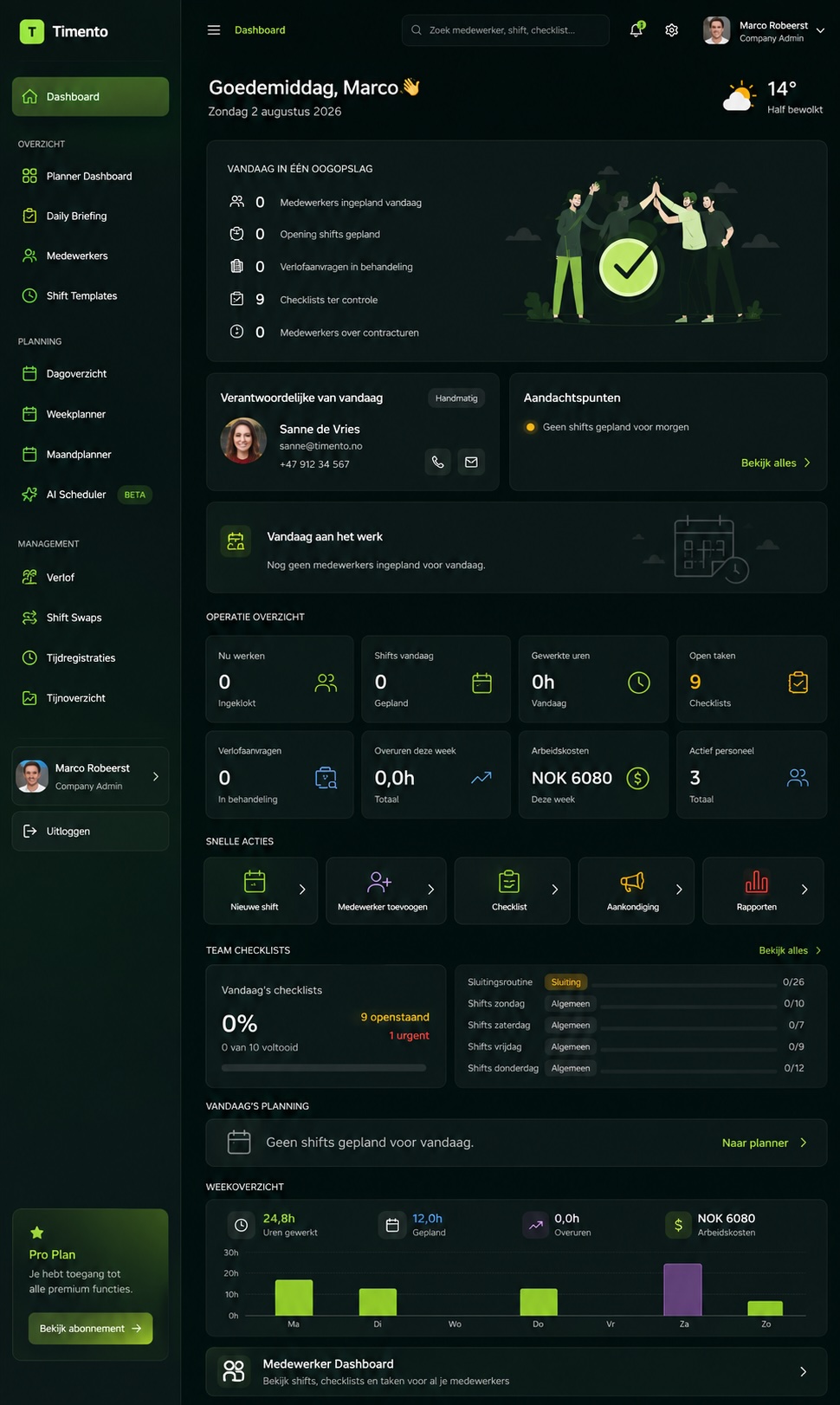
Bring scheduling, time, daily operations, team communication and workforce control together in one platform built around the reality of hotel work.
From the first breakfast shift to the final handover, Timento keeps people, routines and operational information connected.
30 days · Up to 4 employees · No credit card · Personal onboarding
One hotel. Many moving parts.
A hotel doesn't run from one schedule.
Reception needs one thing. Housekeeping needs another. Breakfast starts before most of the team arrives. Maintenance issues appear during the day. Guests change plans. The evening shift needs to know what happened before they arrived.
Reception
Arrivals, departures, guest requests and the information the next shift needs.
Housekeeping
Room routines, priorities and proof that the standard was actually met.
Breakfast
An early start, a fixed setup routine and temperature readings before service.
Kitchen & restaurant
Service peaks, break registration and closing routines that never get skipped.
Maintenance
Issues reported during the day that somebody has to pick up and finish.
Management
One picture of staffing, exceptions, approvals and workforce cost.
Night shift
Context from the day, night routines and a clean handover into the morning.
The challenge isn't only scheduling people. It's keeping the whole operation connected.
One hotel working day
The day doesn't start at check-in.
A hotel working day runs across departments and across shifts. Timento follows that day instead of fighting it.
06:00
Breakfast team starts
The early shift clocks in and works through the breakfast setup checklist before the first guest arrives.
07:00
Daily Briefing
Today's operational picture is published to the team: what matters, what changed and what needs attention.
08:00
Housekeeping routines
Room and public-area checklists are assigned to the shift, with sign-off, notes and photos where configured.
10:00
Check-out period
Priority information from the briefing tells housekeeping which rooms and areas come first today.
12:00
Clock In · Breaks · Clock Out
Registration continues across departments , reception, housekeeping, kitchen and maintenance.
14:00
A technical issue appears
An issue is raised as Action Needed, and a colleague takes responsibility instead of it living in a group chat.
15:00
Check-in period
Reception works the arrival peak while the manager sees Live Team Status and open exceptions.
17:00
Operational follow-up
Checklist status, alerts and unfinished work surface for review before the evening shift takes over.
22:00
Handover & Team Updates
The evening shift writes what the night needs to know: guests, rooms, issues and decisions.
Night
The night shift continues
Night routines run in the same platform, and the morning starts with context instead of guesswork.
Guest and room information is entered by your team or surfaced through Daily Briefing. Timento manages the workforce and the operational day , not reservations.
Smart Scheduling
Different departments. One schedule.
Plan reception, housekeeping, breakfast, restaurant, maintenance, night shift and management in one place, with the differences each department actually needs.
- Reception
- Housekeeping
- Breakfast
- Restaurant
- Maintenance
- Night shift
- Management
Shift Templates
AvailableBuild the shifts your hotel really runs , early breakfast, split reception cover, night , and reuse them.
Recurring shifts
AvailableRepeat the fixed parts of the week so planning starts from your operation, not an empty grid.
Week Planner
AvailableThe department view of the week: who covers what, where the gaps are.
Day Timeline
AvailableSee the hour-by-hour picture of a single hotel day across departments.
Month Planner
AvailablePlan longer periods, seasonal pressure and leave without losing the overview.
Open Shifts
AvailablePublish uncovered work so available employees can respond.
Availability & Leave
AvailablePlan against what people have actually told you about availability and leave.
Contract Hours
AvailableSee planned hours against contract hours while you build the schedule.
Conflict Detection
AvailableOverlaps, leave conflicts and problem patterns are surfaced before publishing.
Publish & Notify
AvailablePublish once and notify the team in-app and by push instead of resending screenshots.
Staffing Requirements
In developmentDefining required cover per period is in development and not part of scheduling today.
Open Shifts
Need someone for tomorrow's breakfast shift?
Staffing changes late in hotels. Publish the uncovered shift instead of starting another group chat at 21:00.
Timento does not assign the shift automatically. It surfaces the work quickly and keeps the decision with the manager.
- Open ShiftBreakfast · 06:00–11:00
- In-app + pushEmployees are notified where they already work
- Available employeeInterest comes back to the manager, who decides
The right person for the work
Available doesn't always mean qualified.
Skills & Certifications gives managers visibility into what each employee is registered as qualified for , and when that qualification runs out.
- Food safety training
- Technical qualifications
- First aid
- Equipment authorisation
- Internal training
- Role-specific competence
- Valid
- Expiring
- Expired
- Pending
- Employee
- Skills & Certifications
- Role requirements
- Smart Scheduling
This is visibility into qualification and expiry status. Timento does not guarantee legal or regulatory compliance on your behalf.
Daily Briefing
The schedule tells people when to work. The briefing tells them what matters today.
Daily Briefing is where the hotel day gets its context. You decide which operational information the team sees before the shift starts.
Example fields. Daily Briefing is configured around your hotel , a boutique hotel with 18 rooms does not need the same briefing as a resort with a conference floor.
Explore Operations HubHotel Daily Briefing with occupancy, arrivals, priority rooms and today's focus · Example data
- Occupancy
- 78%
- Check-ins
- 34
- Check-outs
- 29
- Breakfast guests
- 112
- Groups
- 1 · arrival 15:00
- Allergies
- 2 registered
- Priority rooms
- 214, 301, 402
- Today's focus
- Conference room ready by 13:00
Operational Checklists
Make routines visible without following people around.
Room checks, public areas, opening and closing routines, breakfast setup, safety checks , the work that decides guest experience is the work nobody sees until it is missed.
- Room checks
- Public-area checks
- Opening routines
- Closing routines
- Cleaning procedures
- Breakfast setup
- Spa & wellness routines
- Safety checks
- Assigned
- Completed
- Timestamp
- Photo
- Note
- Sign-off
- Review
Accountability without micromanagement. Timento records that the routine was done , it does not allocate rooms or replace a housekeeping module in your PMS.
The standard shouldn't live in someone's memory.
Knowledge Hub holds the hotel's standard where the work happens, so a new employee in week one delivers the same result as someone who has been there five years.
- Prepare conference roomConference room setup standard
- Prepare breakfast buffetBreakfast presentation guide
- Check guest roomRoom quality standard
Operational Checklists say what. Knowledge Hub explains how.
Time & attendance
The whole working day, including the break.
Hotel shifts move. Employees register the working day as it actually happened, and those hours carry through to approval and payroll.
Clock In
AvailableThe shift starts in the employee's own portal, on their phone.
Breaks
AvailableBreaks are registered as part of the day and can be configured as paid or unpaid.
Clock Out
AvailableThe day is closed with the real end time, not the planned one.
Planned vs Actual
AvailableCompare what was scheduled with what was worked, per employee and per department.
Location-based Clocking
In developmentVerifying the clock-in location is in development and not available today.
Kiosk Mode
AvailableFor hotels with a shared entry point , a back-office tablet or a device by the staff entrance , the team can register the working day from one shared device.
- Worked hours
- Timesheets
- Review & Approve
- Payroll Ready

Keep the team updated
The right update reaches the right person.
A hotel generates three very different kinds of information during a day. Timento keeps them apart so the important one is not buried under the routine one.
Messages
Communication between people and teams, with replies and acknowledgement where you need to know it was read.
- Team updates
- Department messages
- Replies
- Acknowledgement
Notifications
Updates triggered by workforce events, delivered in-app and by push according to each employee's preferences.
- Schedule change
- Open Shift
- Leave decision
- Shift Swap
- Checklist review
Operational Alerts
Exceptions that need a manager's attention, with an Open → Acknowledged → Resolved lifecycle.
- Missed clock-in
- Missed clock-out
- Working-hours warning
- Temperature breach
Turn information into action.
Not everything that happens in a hotel is a task in a system. Action Needed gives small operational issues an owner without turning the hotel into a ticketing tool.
Lightweight operational accountability , not maintenance ticketing or project management software.
- Action NeededRoom 214 , bedside lamp not working
- I'll take itA colleague takes responsibility, visibly
- Followed upMaintenance closes the loop for the next shift
Shift continuity
The evening shift shouldn't start from zero.
Handover & Team Updates keeps the operational context that normally disappears between shifts, in the same place as the schedule and the routines.
Operational context survives the shift change.
- Guest follow-up promised earlier in the day
- A technical issue that is still open
- A room problem the next shift will hear about
- VIP or group information
- Maintenance in progress
- An outstanding task nobody has closed
- A decision made during the shift
- Anything the next shift would otherwise have to guess
Temperature Monitoring
Record the reading. Surface the exception.
For hotels with breakfast, kitchen or bar operations, temperature readings are part of the daily routine rather than a separate system.
- Breakfast refrigerator
- Cold storage
- Freezer
- Kitchen equipment
Timento supports monitoring, configured limits and follow-up through Alerts & Exceptions. It does not provide HACCP certification or guarantee food-safety compliance.
- Reading recorded
- Compared with configured range
- Exception raised
- Manager follow-up
Operational alerts & Control Center
Don't search for problems. Let them surface.
Normal work flows through. What needs attention rises to the surface , so a manager can see the hotel without walking every corridor.
- Missed clock-in
- Missed clock-out
- Working-hours warning
- Temperature breach
- Checklist issue
- Integration issue
- 01Open
- 02Acknowledged
- 03Resolved
See the hotel without walking every corridor.
Control Center is the management view of the operational day, built on the same information the team is already working in.
- Live Team Status
- Who's working right now
- Who's on break
- Staffing across departments
- Operational Alerts
- Checklist status
- Reviews waiting
- Leave requests
- Labour Cost
Labour Cost
Know what the workforce was supposed to cost. See what it actually cost.
Staffing decisions made on Monday show up in the labour cost at the end of the week. Planned vs Actual connects the two.
Automatic variance explanation is in development. Today Timento shows the variance and where it sits; the interpretation stays with you.
Explore Payroll & ReportingExample data
| Department | Planned | Actual | Variance |
|---|---|---|---|
| Reception | 212 h | 219 h | +7 h |
| Housekeeping | 348 h | 372 h | +24 h |
| Breakfast | 126 h | 121 h | −5 h |
| Maintenance | 76 h | 78 h | +2 h |
Example data shown for illustration. Your figures come from your own schedule and registered working time.
From hotel day to Payroll Ready
The working day already contains the payroll information.
Nobody re-types hours from a paper sheet, because the day was registered where it happened.
- 01Smart Scheduling
- 02Clock In · Breaks · Clock Out
- 03Worked hours
- 04Alerts & Exceptions
- 05Review & Approve
- 06Payroll Ready
- 07Export / integration
CSV / Excel Payroll Export
AvailableApproved hours prepared for your payroll workflow.
Tripletex File Export
AvailableApproved working time exported in a file format for the Tripletex workflow.
Tripletex Direct API Sync
In developmentDirect synchronisation is in development and not available today.
Payroll is the end of the hotel day, not the story. It should simply be correct.
Employee Portal
One place for the working week.
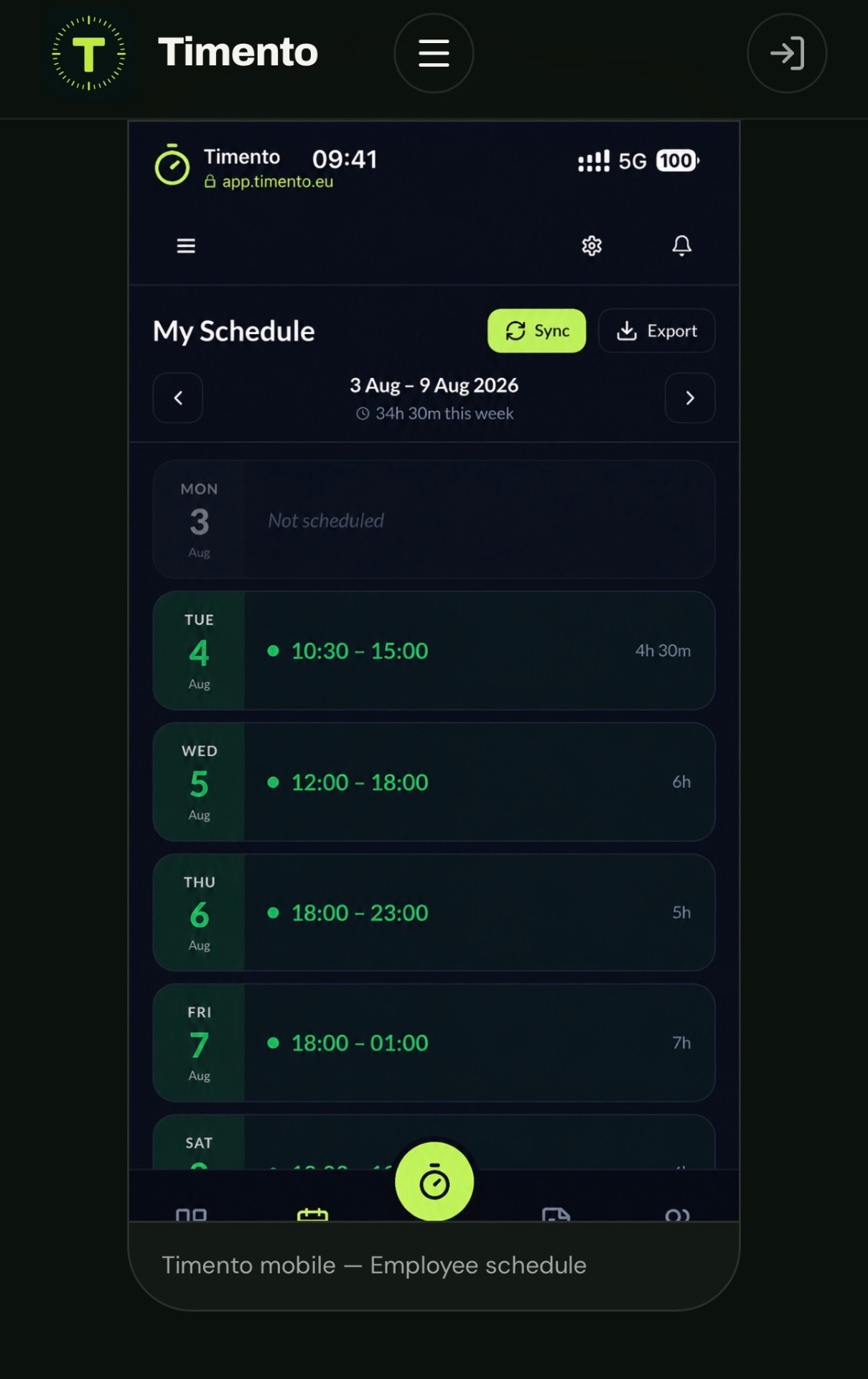
Housekeeping, breakfast and reception employees don't sit at a desk. Their working week lives on the phone in their pocket.
- My Schedule
- Daily Briefing
- Clock In · Breaks · Clock Out
- Operational Checklists
- Messages
- Notifications
- Availability & Leave
- Shift Swaps
- Knowledge Hub
- Calendar Export
Built for teams that aren't sitting behind desks.
Hotel employees can access Timento through a mobile-friendly experience, with in-app and push notifications for supported events.
No traditional app-store download required.
Multi-department
Different departments. One operational picture.
Each department can work the way it needs to, while management keeps one connected workforce environment instead of six separate systems.
- Reception
- Housekeeping
- Breakfast
- Restaurant
- Maintenance
- Management
Timento
Roles and permissions decide what each department sees, approves and manages.
Multi-location
One hotel today. More locations tomorrow.
When the operation grows, the structure grows with it rather than being rebuilt.
- Locations
- Teams
- Roles and permissions
- Control Center across the operation
- Standardised Operational Checklists
- Shared Knowledge Hub
- Reports & Insights
Built around your operation
Your hotel shouldn't have to fit the software.
A boutique hotel, a city hotel and a resort with a conference floor do not run the same working day , and shouldn't be forced into the same template.
- Boutique hotel
- City hotel
- Resort
- Hotel with restaurant
- Hotel with conference & events
- Hotel with spa
- Daily Briefing fields
- Operational Checklists
- Roles
- Locations
- Permissions
- Shift Templates
- Notification settings
- Operational workflows
Configuration, not custom software for every request. We shape the standard Timento setup around your hotel during onboarding.
Plan. Run. Control.
Most workforce tools stop after scheduling and time tracking. The hotel doesn't.
The expensive part of a hotel day is everything that happens between the published schedule and the approved hours.
Plan
Before the working day
- Smart Scheduling
- Availability & Leave
- Skills & Certifications
- Conflict Detection
- Publish & Notify
Run
During the working day
- Daily Briefing
- Clock In · Breaks · Clock Out
- Operational Checklists
- Knowledge Hub
- Messages & Action Needed
- Handover & Team Updates
Control
Over the operation
- Live Team Status
- Operational Alerts
- Control Center
- Review & Approve
- Labour Cost
- Reports & Insights
Plan the team. Run the day. Control the operation , in one connected platform.
Timento doesn't replace your PMS.
Reservations, rates and room inventory stay where they belong. Timento manages the workforce and the daily operational layer around your property management system.
Using a PMS you'd like Timento to connect with? Tell us.
Questions & answers
Hotel workforce questions, answered
What Timento actually does inside a hotel operation — and where it stops.
Can Timento schedule different hotel departments?
Yes. Reception, housekeeping, breakfast, restaurant, maintenance, night shift and management are planned in the same schedule, with their own shift templates, recurring patterns and roles. Managers can work in a Week Planner, a Day Timeline or a Month Planner depending on what they are planning, and Conflict Detection surfaces overlaps and leave conflicts before you publish.
Can housekeeping teams use Timento?
Yes. Housekeeping works from the Employee Portal on their own phone: shifts, Daily Briefing, Clock In · Breaks · Clock Out and their Operational Checklists for room and public-area routines. Completion can be recorded with a timestamp, note, photo and sign-off where you configure it. Timento does not allocate rooms — that stays in your PMS.
Can hotel employees clock in and register breaks?
Yes. Clock In · Breaks · Clock Out is available, and breaks can be configured as paid or unpaid. Employees register on their phone, or on one shared device with Kiosk Mode where the hotel has a staff entrance or back-office tablet. Location-based Clocking is in development and not available today.
Can we create opening, closing and cleaning checklists?
Yes. Operational Checklists are configured around your routines — breakfast setup, room checks, public areas, opening and closing, safety checks — and assigned to the right shift or role. Knowledge Hub holds the written standard behind a task, so a checklist item can point at how the work should actually be done.
What is Daily Briefing for a hotel?
Daily Briefing is the operational context published to the team before the shift starts: occupancy, arrivals and departures, breakfast numbers, groups, allergies, priority rooms, deliveries and today's focus. The fields are configured around your hotel, and the information is entered by your team rather than pulled automatically from a PMS.
Can Timento help with shift handovers?
Yes. Handover & Team Updates keeps what the next shift needs to know — guest follow-up, open technical issues, room problems, VIP or group information, decisions made — in the same place as the schedule and routines, instead of in a private chat the night shift cannot see.
Can managers see operational issues that need attention?
Yes. Operational Alerts surface exceptions such as a missed clock-in, a missed clock-out, a working-hours warning, a temperature breach, a checklist issue or an integration issue, and each alert follows an Open → Acknowledged → Resolved lifecycle. Control Center adds Live Team Status, staffing, checklist status, pending reviews and Labour Cost in one management view.
Can Timento track qualification or certification expiry?
Skills & Certifications records what each employee is registered as qualified for and shows a Valid, Expiring, Expired or Pending status, so a manager can see capability before assigning work. This is visibility into qualification and expiry status — Timento does not guarantee legal or food-safety compliance on your behalf.
Can hotel schedules be exported to employees' calendars?
Yes, through Calendar Export. Employees can export their schedule in the standards-based iCal format for use with compatible calendar applications. It is an export, not an automatic two-way synchronisation, so changes made in a calendar app do not flow back into Timento.
Does Timento replace our hotel PMS?
No. Reservations, rates and room inventory stay in your property management system. Timento manages the workforce and the daily operational layer around it: scheduling, time, briefings, checklists, communication, handovers and workforce control. If you would like Timento to connect with your PMS, tell us which one you use.
Run your next hotel working day in Timento.
Bring scheduling, time, daily operations, team communication and workforce control together in one connected platform.
30 days · Up to 4 employees · No credit card · Personal onboarding
Not a hotel?
Explore how Timento is used in other operations.