Timento for restaurants
From prep to closing. Keep every shift connected.
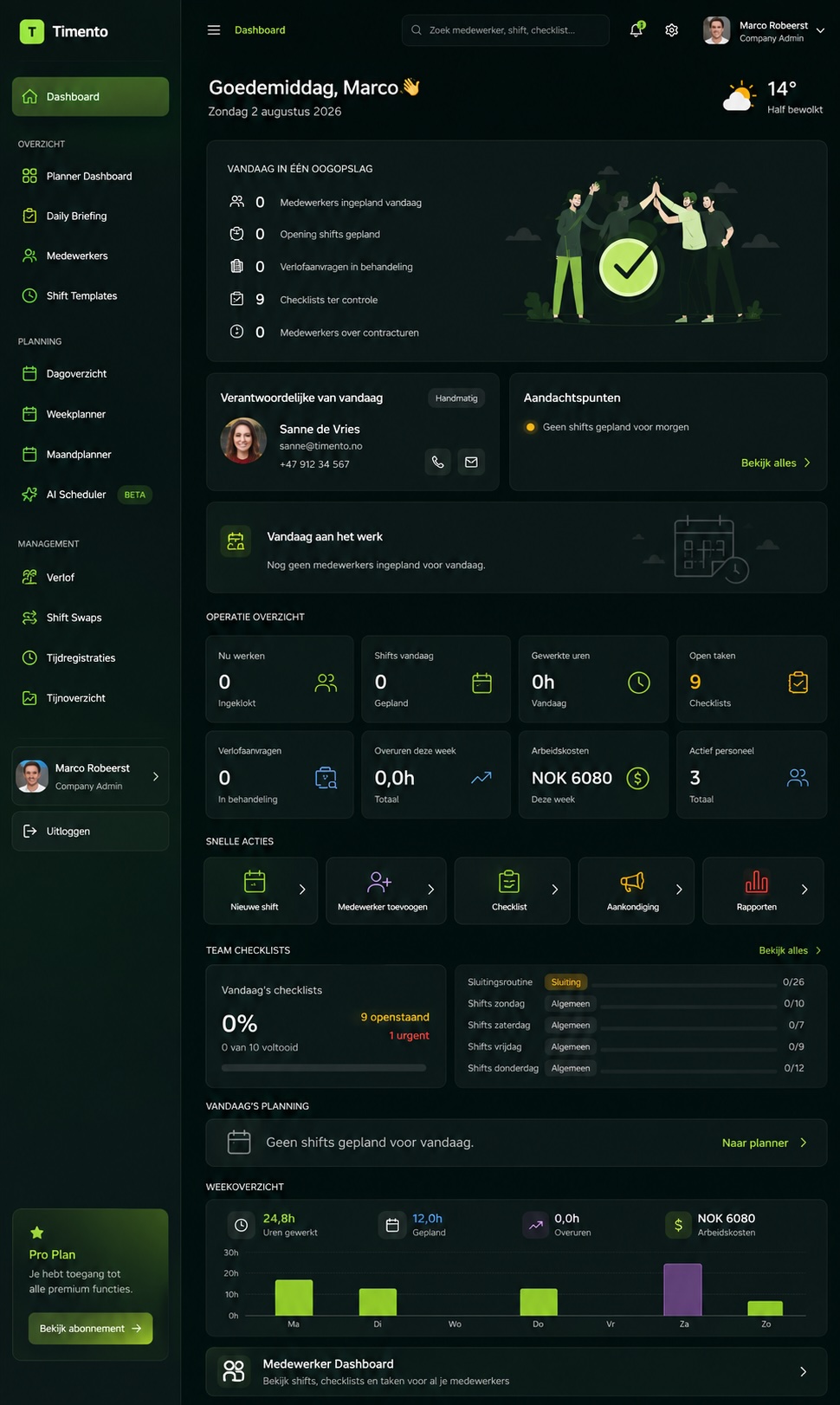
Bring scheduling, time and breaks, opening and closing routines, team communication and daily restaurant operations together in one connected platform.
Kitchen, front of house, bar and management work differently. Timento keeps them part of the same operational picture.
30 days · Up to 4 employees · No credit card · Personal onboarding
One service. Many moving parts.
A restaurant doesn't run from the rota alone.
The schedule tells you who should arrive and when. It doesn't prep the kitchen, run the opening routine, record the fridge temperature, rotate the breaks or tell the evening shift what lunch already found out.
Kitchen
Prep, mise en place, temperature checks and closing routines that never get skipped.
Front of house
Setup before opening, service priorities, allergy information and guest follow-up.
Bar
Opening and closing routines, stock issues and its own peak, later than the kitchen's.
Dishwashing & support
Cover that has to match the service, not the quiet hour before it.
Shift leaders
Who's in, who's on break, what's missing and what needs a decision right now.
Management
One picture of staffing, exceptions, approvals and labour cost across the week.
The challenge isn't only getting people on the schedule. It's keeping the service running once they arrive.
One restaurant working day
Service is the deadline. Everything else runs against it.
A restaurant day has a shape: prep, opening, peak, breaks, turnaround, peak again, closing. Timento follows that rhythm instead of flattening it into a weekly grid.
10:00
Kitchen prep starts
The early kitchen shift clocks in and works through prep with the routines that belong to the day.
11:00
Opening routines
Opening checklists for kitchen, bar and front of house are assigned to the shift, with sign-off where you need it.
11:15
Temperature checks completed
Fridge and freezer readings are recorded against the configured range before service starts.
11:30
Front of house briefing
Daily Briefing gives the floor today's context: large groups, allergies, menu changes and today's focus.
12:00
Lunch service begins
Everyone is clocked in, the checklist is behind them and the shift leader can see the live team status.
14:00
Break rotation
Breaks are registered as part of the working day , start and end, paid or unpaid as configured.
16:00
Dinner prep · shift change
The afternoon team hands over, and the evening shift starts with what already happened rather than a blank page.
17:00
Daily Briefing for evening service
Expected activity, sold-out items, staffing changes and the priorities for the evening are published to the team.
18:00
Dinner peak
Maximum staffing, minimum admin. Exceptions surface to the manager instead of the manager hunting for them.
21:30
Closing routines begin
Kitchen, bar and floor closing checklists run with timestamps, notes and photos where configured.
23:00
Handover & Team Updates
What tomorrow needs to know is written down while it's still fresh: equipment, stock, guests, open issues.
Example times. A café, a bistro and a fine-dining restaurant all run a different day , Timento is configured around yours. Reservations and orders stay in your own systems.
Smart Scheduling
Build the team around the service.
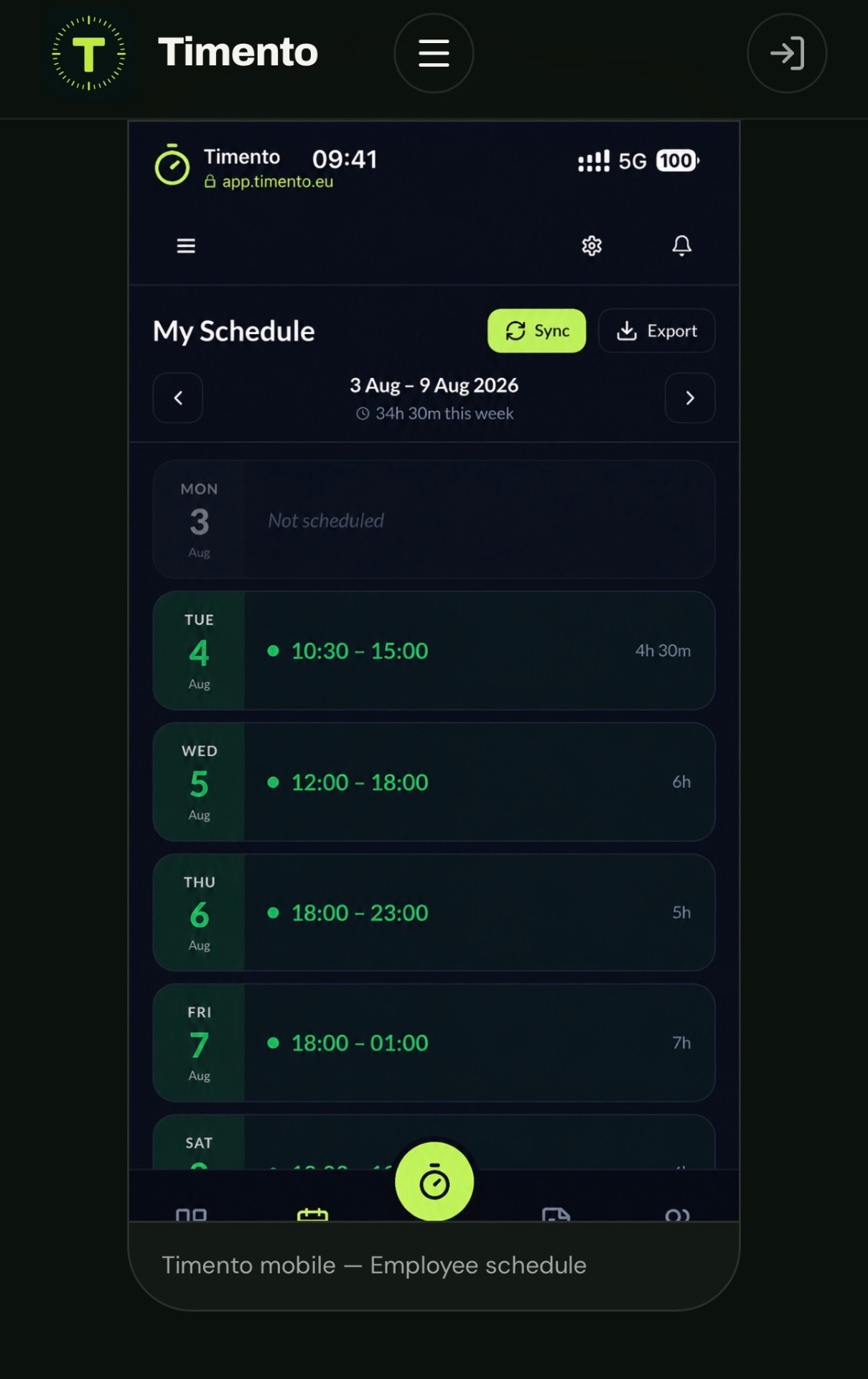
Plan kitchen, front of house, bar, dishwashing, shift leaders and management in one schedule, with the shift shapes a restaurant actually runs.
- Kitchen
- Front of house
- Bar
- Dishwashing
- Shift leader
- Management
Shift Templates
AvailablePrep shift, lunch cover, evening service, closing shift , build them once and reuse them.
Recurring shifts
AvailableRepeat the fixed part of the week so planning starts from your service pattern, not an empty grid.
Day Timeline
AvailableThe hour-by-hour picture of one service day, so you can see the peak instead of guessing it.
Week Planner
AvailableThe week across roles: who covers lunch, who covers dinner, where the gap is.
Month Planner
AvailableLonger periods, seasonal pressure and leave without losing the overview.
Open Shifts
AvailablePublish work that still needs coverage so available employees can respond.
Availability & Leave
AvailablePlan against what people have actually told you, including approved leave.
Contract Hours
AvailableSee planned hours against contract hours while you build the week.
Conflict Detection
AvailableOverlaps, double bookings and leave conflicts surface before you publish.
Publish & Notify
AvailablePublish the schedule and the team is notified in-app and by push.
Staffing around peaks
The same staffing level doesn't make sense all day.
A restaurant needs a different team at 10:00 than at 19:00. The workforce plan has to reflect when the work happens, not just how many hours were booked.
Prep
Low · focused
A small kitchen team working through preparation before anyone walks in.
Lunch
Higher
Kitchen and floor cover the sitting, with a shift leader on the pass.
Afternoon
Reduced
Turnaround, cleaning and dinner prep with fewer people on the clock.
Dinner peak
High
Maximum staffing across kitchen, floor and bar for the busiest hours of the day.
Closing
Reduced · role-specific
The roles that close: kitchen, bar and cash routines, not the whole team.
Staffing Requirements
In developmentTimento is evolving toward helping managers compare what the operation needs with what has actually been scheduled.
Timento does not forecast demand and does not predict staffing automatically. You plan the service; Timento gives you the shape of the day while you do it.
Open Shifts
Someone called in sick before dinner?
Create work that needs coverage without immediately knowing who will take it, and surface the opportunity to the team.
Timento does not assign an Open Shift automatically. The opportunity is made visible; the decision stays with the manager.
- Open ShiftFront of house · 17:00–23:00
- In-app + pushThe people who could work it see it
- EmployeeAn employee responds and the manager decides
Availability & Leave
Know who can actually work.
Restaurant teams often combine full-time employees with people who have limited or changing availability. Planning works better when that information is in the same place as the schedule.
Availability and leave feed the schedule, and Conflict Detection surfaces the clash before the schedule is published.
Employee availability
When people have told you they can work , recurring patterns or specific days.
Approved leave
Leave requests that have been approved are visible while you plan, not discovered afterwards.
Smart Scheduling
Time & attendance
The break belongs in the working day too.
Restaurant shifts stretch and shrink around the service. Employees register the day as it actually happened , including the break , and those hours carry through to approval.
Clock In
AvailableThe shift starts in the employee's own portal, on their phone.
Break Start · Break End
AvailableBreaks are registered as part of the working day, so the rotation is recorded rather than remembered.
Paid & unpaid breaks
AvailableBreaks can be configured as paid or unpaid according to how your restaurant works.
Clock Out
AvailableThe day closes with the real end time, not the planned one.
Planned vs Actual
AvailableCompare what was scheduled with what was worked, per employee and per role.
Location-based Clocking
In developmentVerifying the clock-in location is in development and not available today.
Kiosk Mode , one shared clock-in point for the team
AvailableWhere a shared device makes sense , the staff entrance, the office, a back-of-house area , the team can register the working day from one shared clock-in point instead of everyone using their own phone.
- Worked hours
- Review & Approve
- Payroll Ready
Daily Briefing
Before service starts, make sure everyone knows what matters.
Daily Briefing carries the operational context of the service: what's different today, what's missing and what the team should focus on.
Example fields. Expected activity, groups and allergies are entered by your team , Daily Briefing is operational context, not a reservation or POS integration.
Explore Operations HubRestaurant Daily Briefing before evening service · Example data
- Expected activity
- Busy · 2 sittings
- Large groups
- 12 guests · 19:30
- Allergies
- 3 registered
- Menu changes
- New starter on the card
- Sold out
- Mussels
- Staffing changes
- Bar covered by shift leader
- Deliveries
- Dry goods · 15:00
- Today's focus
- Turn tables before 20:00
Operational Checklists
Opening and closing shouldn't depend on memory.
The routines that decide whether service runs are the routines nobody notices until one is missed. Timento makes them assignable, visible and reviewable.
- Opening kitchen
- Opening bar
- Opening front of house
- Cleaning routines
- Toilet checks
- Equipment checks
- Food-safety routines
- Closing kitchen
- Closing bar
- Cash routines
- Assigned
- Completed
- Timestamp
- Photo
- Note
- Sign-off
- Review
Make recurring routines visible without turning the manager into a full-time checker.
The checklist says what. Knowledge Hub explains how.
Knowledge Hub holds your restaurant's standard where the work happens, so a new starter in week one delivers the result you expect.
- Clean coffee machineCoffee machine cleaning procedure
- Prepare dining roomTable setup standard
- Plate dessertDessert presentation standard
Routines, equipment instructions, cleaning procedures and service standards , in the place the work actually happens.
Temperature monitoring
Record the reading. Surface the exception.
Temperature checks are part of the restaurant's routine, and the point of recording them is knowing quickly when something is wrong.
- Walk-in refrigerator
- Freezer
- Prep refrigerator
- Cold storage
- Other configured equipment
The employee is never blocked from recording a bad reading , record reality, then surface the problem. Timento provides monitoring, configured limits, recording, Alerts & Exceptions and manager follow-up. It does not provide HACCP or food-safety certification, and it does not guarantee compliance.
- Reading
- Recorded
- Compared with configured range
- Within range → continue
- Outside range → alert
- Manager attention
Team communication
From update to action.
A service generates three different kinds of information. Timento keeps them apart so the one that needs a person doesn't disappear into the one that doesn't.
Messages
Communication between people and teams, with replies and acknowledgement where you need to know it was read.
- Team updates
- Kitchen ↔ floor
- Replies
- Acknowledgement
Notifications
Updates triggered by workforce events, delivered in-app and by push according to each employee's preferences.
- Schedule change
- Open Shift
- Leave decision
- Shift Swap
- Checklist review
Operational Alerts
Exceptions that need a manager's attention, with an Open → Acknowledged → Resolved lifecycle.
- Temperature breach
- Checklist issue
- Missed clock-in
- Missed clock-out
- Working-hours warning
Action Needed: small things that still need an owner.
Not everything that happens during a service is a task in a system. Action Needed gives an operational issue an owner without turning the restaurant into a ticketing tool.
This is lightweight operational accountability , not procurement, stock control or ordering software.
- Action NeededWe're almost out of oat milk before dinner service
- I'll take itA colleague takes responsibility, visibly
- Followed upThe team can see it was handled
In-app + push
Updates shouldn't wait until someone checks a desktop.
Restaurant teams are on the floor, not at a screen. Notifications reach the phone in the pocket, in-app and by push, based on each employee's delivery preferences.
- Open Shift
- Schedule change
- Action Needed
- Leave decision
- Operational update
Timento runs as an installable web app , no traditional app-store download required. Push notifications only; Timento does not send SMS.
Shift continuity
Dinner service shouldn't rediscover what lunch already learned.
Handover & Team Updates carries operational context across the shift change, so the next team starts informed instead of starting over.
Operational context survives the shift change.
- Equipment problem that isn't fixed yet
- Stock issue before the next service
- Guest follow-up that was promised
- Maintenance that has been reported
- Sold-out item and what to offer instead
- Operational issue that needs action tomorrow
Skills & Certifications
Know who's ready for the role.
The available employee isn't always the right employee. Timento keeps role-relevant qualifications visible while you plan.
- Food safety training
- First aid
- Equipment training
- Internal training
- Role-specific competence
- Valid
- Expiring
- Expired
- Pending
- Employee
- Skills & Certifications
- Role requirements
- Smart Scheduling
This is visibility into qualification and expiry status. Timento does not guarantee legal or regulatory compliance on your behalf.
Operational alerts
Don't inspect every normal routine. Focus on what needs attention.
Normal work flows through. Exceptions rise to the surface with a lifecycle, so a manager can see what's open and what has already been handled.
- Temperature breach
- Checklist issue
- Missed clock-in
- Missed clock-out
- Working-hours warning
- 01Open
- 02Acknowledged
- 03Resolved
Control Center: see the operation while service is moving.
One live picture of the restaurant, for the people who have to make decisions during the shift.
- Live Team Status
- Who's working
- Who's on break
- Staffing for the shift
- Operational Alerts
- Checklist completion
- Pending reviews
- Leave
- Labour Cost
Labour cost
Know what the shift was supposed to cost. See what it actually cost.
Planned labour cost comes from the schedule. Actual labour cost comes from the registered working day. The variance is the conversation.
Structured variance explanation is in development. Today Timento shows planned, actual and the difference , it does not make savings claims on your behalf.
Explore Payroll & ReportingExample data
| Shift | Planned | Actual | Variance |
|---|---|---|---|
| Lunch · kitchen | € 420 | € 445 | + € 25 |
| Lunch · floor | € 310 | € 298 | − € 12 |
| Dinner · kitchen | € 690 | € 742 | + € 52 |
| Dinner · floor & bar | € 585 | € 574 | − € 11 |
Example values for illustration only. Your figures come from your own schedule and registered hours.
Staff for the service without losing sight of labour cost.
Two questions decide a restaurant week, and they pull in opposite directions. Timento puts both in the same view instead of in two different spreadsheets.
Timento does not optimise the schedule automatically. It gives visibility and decision support while the manager plans.
- Do we have enough people for the peak?
- What will that staffing plan cost?
Payroll ready
The working day should reach payroll without being retyped.
Registered hours run through review and approval into an export your payroll process can use.
- 01Clock In · Breaks · Clock Out
- 02Worked Hours
- 03Alerts & Exceptions
- 04Review & Approve
- 05Payroll Ready
- 06Export / integration
CSV / Excel Payroll Export
AvailableApproved hours exported for your payroll process.
Tripletex File Export
AvailableFile export for teams using Tripletex.
Tripletex Direct API Sync
In developmentDirect synchronisation is in development.
Approve the exceptions, not every normal shift.
Employee portal
One place for the working week.
Everything an employee needs during a restaurant week, on the phone they already carry.
- My Schedule
- Clock In · Breaks · Clock Out
- Availability & Leave
- Open Shifts
- Messages
- Notifications
- Operational Checklists
- Knowledge Hub
- Shift Swaps
- Calendar Export
Built for a pocket, not a back office.
Timento runs as an installable web app on the employee's phone, so the schedule, the clock and the routines are one tap away during a shift.
No traditional app-store download required.
Different teams, same service
Different roles. One service.
Every team in a restaurant has different responsibilities, but management needs one operational picture.
- Kitchen
- Front of house
- Bar
- Dishwashing & support
- Shift leaders
- Management
Timento
Each role sees what belongs to their work. Management sees the whole service in one place.
Multi-location
One restaurant today. Ten tomorrow.
Standardise what should be consistent while letting each location run its actual operation.
- Locations
- Roles and permissions
- Shared Operational Checklists
- Shared Knowledge Hub
- Control Center per location
- Labour Cost per location
- Reports & Insights
Built around your operation
A café doesn't run like a fine-dining restaurant.
Same platform, configured around how your restaurant actually works , not a separate product per concept.
- Café
- Casual dining
- Fine dining
- Bar
- Quick service
- Restaurant group
- Hotel restaurant
- Roles
- Shift Templates
- Daily Briefing
- Operational Checklists
- Knowledge Hub
- Notifications
- Permissions
- Operational workflows
Configuration, not custom development. Timento adapts within the platform's capabilities rather than promising unlimited bespoke work.
Plan. Run. Control.
Workforce management that keeps working after service starts.
Most tools stop when the schedule is published. A restaurant's hardest hours start there.
Plan
Build the week around the service
- Smart Scheduling
- Availability & Leave
- Open Shifts
- Contract Hours
Run
Keep the service connected
- Daily Briefing
- Clock In · Breaks · Clock Out
- Operational Checklists
- Temperature Monitoring
- Knowledge Hub
- Messages & Action Needed
Control
See what needs attention
- Operational Alerts
- Control Center
- Labour Cost
- Review & Approve
- Reports & Insights
Plan the team. Run the service. Control the operation , in one connected platform.
Timento is not a POS or reservation system.
Orders, payments, tables and bookings stay where they belong. Timento manages the workforce and operational layer around them.
Using a system you'd like Timento to connect with? Tell us.
Questions & answers
Restaurant workforce questions, answered
What Timento does inside a restaurant operation — from prep to closing — and where it stops.
Can Timento schedule kitchen and front of house teams?
Yes. Kitchen, front of house, bar, dishwashing, shift leaders and management are planned in the same schedule, each with their own shift templates and recurring patterns. A Day Timeline shows the hour-by-hour shape of a service day, Conflict Detection surfaces overlaps and leave conflicts, and Publish & Notify tells the team once the schedule is final.
Can restaurant employees clock in and register breaks?
Yes. Employees register Clock In, Break Start, Break End and Clock Out from their own portal on their phone. Breaks can be configured as paid or unpaid, and the registered hours flow into Worked Hours, Review & Approve and Payroll Ready. Timento records how the working day actually ran; it does not guarantee break or working-time compliance on your behalf.
Can Timento be used from a shared clock-in device?
Yes. Kiosk Mode lets the team register the working day from one shared device — typically at the staff entrance, in the office or in a back-of-house area — instead of everyone using their own phone. Kiosk Mode is available today, and you choose where a shared clock-in point makes sense.
Can we create restaurant opening and closing checklists?
Yes. Operational Checklists cover opening kitchen, opening bar, opening front of house, cleaning routines, toilet checks, equipment checks, cash routines and closing routines. Checklists are assigned to a shift and can capture completion, timestamp, note, photo and sign-off, so a manager can review what was done instead of watching it happen.
Can Timento record refrigerator and freezer temperature checks?
Yes. Temperature Monitoring records readings for walk-in refrigerators, freezers, prep refrigerators, cold storage and other configured equipment, and compares each reading with the range you configured. Timento provides monitoring and recording — it does not provide HACCP or food-safety certification and does not guarantee compliance.
What happens when a temperature reading is outside the configured range?
The reading is still recorded — the employee is never blocked from registering reality — and an exception is raised as an Operational Alert for manager attention. Alerts follow an Open → Acknowledged → Resolved lifecycle, so it is visible whether the problem has been picked up or closed.
Can employees receive Open Shift notifications?
Yes. When a shift needs coverage — for example front of house 17:00–23:00 after a sick call — you can publish it as an Open Shift and the team is notified in-app and by push according to their delivery preferences. Timento does not assign the shift automatically; an employee responds and the manager decides.
Can managers see operational issues that need attention?
Yes. Operational Alerts surface exceptions such as a temperature breach, a checklist issue, a missed clock-in, a missed clock-out or a working-hours warning, each with an Open → Acknowledged → Resolved lifecycle. Control Center adds the live picture during service: who is working, who is on break, checklist completion, pending reviews and labour cost.
Can Timento track Skills & Certifications?
Yes. Food safety training, first aid, equipment training, internal training and role-specific competence can be registered per employee with Valid, Expiring, Expired and Pending status, so the right qualification is visible while you plan. This is visibility, not a compliance guarantee.
Does Timento replace our POS or reservation system?
No. Orders, payments, tables and bookings stay in your own systems. Timento manages the workforce and operational layer around them — scheduling, time and breaks, briefings, checklists, communication and labour cost. If there is a system you would like Timento to connect with, tell us.
Can Timento support multiple restaurant locations?
Yes. Locations, roles and permissions let you standardise shared Operational Checklists and Knowledge Hub content while each location runs its own service. Control Center, Labour Cost and Reports & Insights can be followed per location.
Run your next service in Timento.
Scheduling, time and breaks, routines, communication and labour cost , from prep to closing, in one connected platform.
30 days · Up to 4 employees · No credit card · Personal onboarding
Not a restaurant?
See how Timento is used in other operations.