Production and manufacturing
Every shift starts with the right crew.
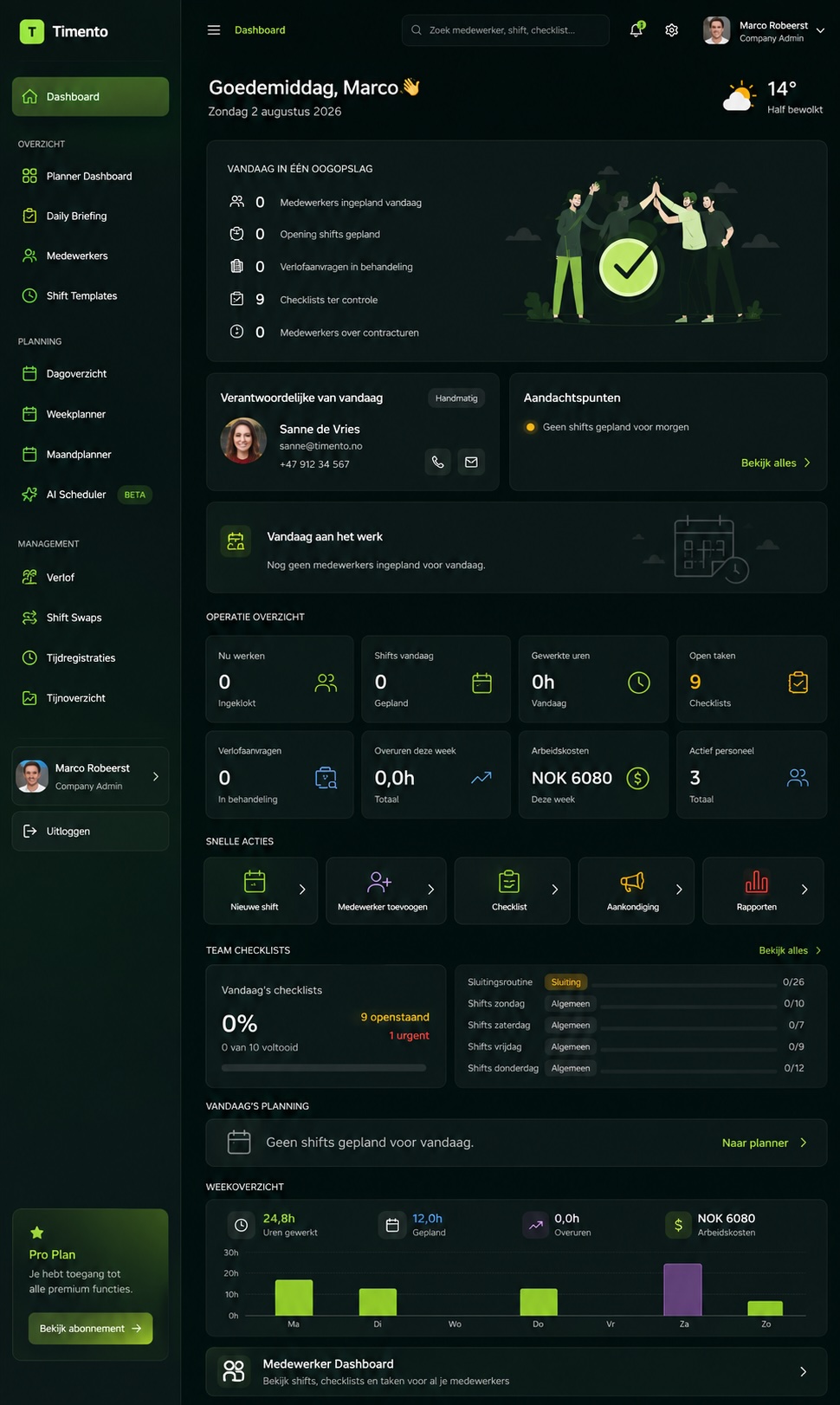
Timento connects shift planning, skills, attendance, routines, handovers and labour cost in one workforce platform for production teams.
Built for factories, workshops and shift-based operations where the line only runs when the right people, with the right qualifications, are actually there.
30 days · Up to 4 employees · No credit card · Personal onboarding
Shift-based reality
The plan is one thing. The shift is another.
Production planning rarely fails on paper. It fails between the roster, the people who actually turned up and the hours that reach payroll.
- Three shifts, and only one of them has the full picture
- A certificate expired and nobody noticed until the shift started
- An absence at 05:40 turns into a phone chain
- Handover notes live on a whiteboard that gets wiped
- Breaks are registered differently by every team leader
- Overtime becomes visible after the month closes
- Required crew per line is in someone's head, not in a system
- Planned hours and worked hours never quite match
One shift can hold that together informally. Three rotating shifts cannot.
One production day
From shift start to the handover that keeps the line running.
A production day is a chain of shifts. Every link needs the right crew, the right routines and a clean transfer to the next one.
05:30
Morning crew checks in
Operators clock in on the kiosk at the entrance or on their own phone at the configured workplace. The team leader sees at a glance who is present and which roles are still open.
05:45
Shift briefing before the line starts
The Daily Briefing carries yesterday's open points, priorities for today, safety notes and anything the previous crew flagged, so nobody starts the shift guessing.
06:00
Shift start routines
Operational Checklists cover workstation readiness, cleaning, safety walk and the quality-related checks you configure. Completion is recorded with who and when.
09:30
Break registration that holds up later
Breaks are registered as part of the shift instead of being estimated afterwards, so worked hours stay defensible when payroll asks.
11:20
Something needs attention
An operator reports an operational issue from the floor. It becomes an alert with an owner: Open, Acknowledged, Resolved, instead of a message that scrolls away.
13:45
Handover to the evening shift
Unfinished items, technical notes, priorities and decisions needed are written once and read by the incoming crew before they walk onto the floor.
22:00
Evening hands over to nights
The same structure repeats. Each shift leaves a record instead of a memory, and the night crew starts informed.
Next morning
Review and approve
The supervisor reviews clocked hours, missing clock actions and exceptions, approves them, and the period becomes payroll ready.
Timento records what the workforce did during the shift. It does not control machines, lines or production equipment.
Plan the required crew
Plan by shift, by role and by qualification.
Production schedules repeat, until they do not. Timento gives you a repeatable pattern to build on and shows every gap before the shift starts.
- Production Operator
- Machine Operator
- Team Leader
- Shift Supervisor
- Maintenance
- Quality
- Warehouse and Logistics
Smart Scheduling
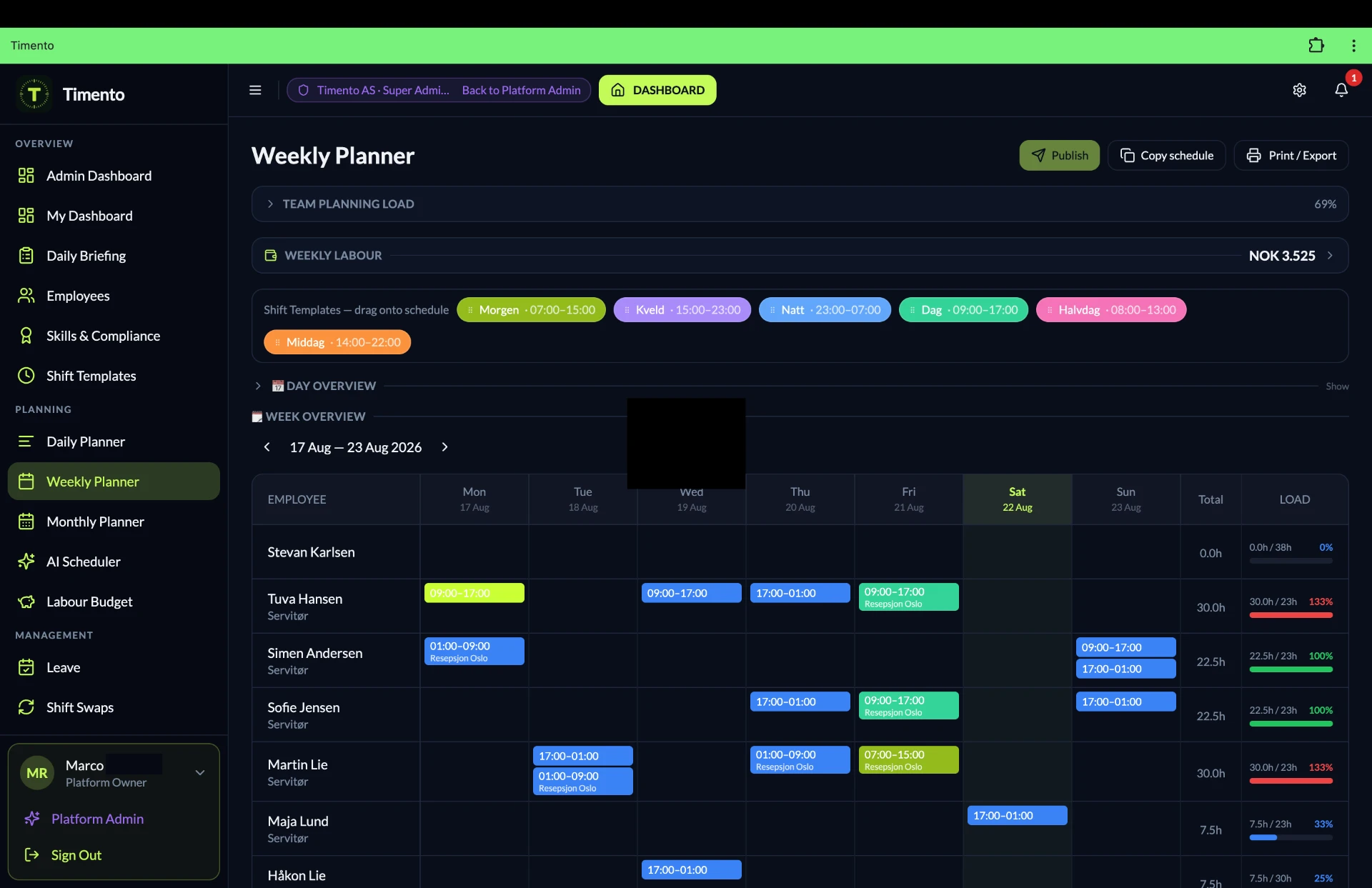
Plan morning, evening and night shifts in week, day or month view, per department, line or team.
Shift templates
Save the standard crew for a shift, then place it in one action instead of rebuilding it every week.
Recurring shifts
Rotating patterns repeat automatically, so a fixed rotation does not have to be typed again each cycle.
Copy schedule
Copy a full week or a single shift forward and adjust only what actually changed.
Role-based shifts
A shift is defined by the roles it needs, so a gap in Maintenance or Quality is visible as a gap, not as a headcount.
Availability and leave
Availability, leave and absences are part of the plan, so you schedule against reality instead of hoping.
Open shifts
Publish an uncovered shift to the people who are qualified for it and let them respond, with approval by the supervisor.
Contract hours
See planned hours against contract hours per employee while you build the schedule, not after it.
Conflict detection
Overlaps, double bookings, leave collisions and rest-pattern issues are surfaced before you publish.
Overtime signals
Hours running beyond the expected pattern are flagged early, when you can still act on them.
Publish and notify
Publishing sends the schedule to the team through in-app and push notification, so the floor reads the same version you do.
Staffing Requirements
Define the crew a shift needs per role and compare it directly with what is scheduled.
Staffing Requirements
Required crew against scheduled crew, shift by shift.
Set what a shift needs per role, then see coverage per shift before the day starts instead of at 05:40 on the floor.
- Do we have enough people on this shift?
- Do we have the right roles, not just the right headcount?
- Where is the gap, and how long before the shift starts?
- What will this staffing level cost?
Staffing Requirements · Example
| Shift and role | Required | Scheduled | Coverage |
|---|---|---|---|
| Morning · Machine Operator | 6 | 6 | Covered |
| Morning · Quality | 2 | 1 | 1 short |
| Evening · Machine Operator | 6 | 5 | 1 short |
| Evening · Maintenance | 1 | 1 | Covered |
| Night · Machine Operator | 4 | 4 | Covered |
| Night · Team Leader | 1 | 0 | Open shift |
Example figures for illustration. You define the required crew per shift and role for your own operation.
Skills and qualifications
Who is actually qualified to run this station tonight?
In production, role readiness is not administration. It decides whether a shift can start. Timento keeps skills and certifications next to the schedule instead of in a folder.
- EmployeeThe person and the roles they work in.
- Skills and CertificationsRecorded per employee, with validity and verification status.
- Role requirementsThe qualifications a role or shift expects.
- Smart SchedulingPlan with role readiness visible while you fill the shift.
- Forklift licence
- Machine authorisation
- Safety instruction
- First aid
- Internal line training
- Quality check authorisation
- Valid
- Expiring soon
- Expired
- Verified
- Not verified
This gives the manager better operational visibility of qualifications. It is not a legal or regulatory compliance guarantee, and it does not replace your certification authority or training provider.
Explore People ManagementValidity and expiry visibility
See which qualifications are valid, expiring soon or expired, so renewals are planned instead of discovered.
Verification status
Record whether a qualification has been checked internally, so the schedule is built on confirmed information.
Role readiness
See who is ready for a role before you place them in the shift, not after the shift starts.
Shift start, time and breaks
Hours that hold up when payroll asks.
Clocking happens where the work happens: at the entrance, at the workstation or on a phone. What was worked is registered while it happens, not reconstructed later.
Clock In · Breaks · Clock Out
The full shift is registered, including breaks, so worked hours reflect what actually happened.
Worked hours
Hours build up per employee, per shift and per period, ready for review instead of retyping.
Missing and exception awareness
A missing clock out, a shift without a clock in or an unusual difference is surfaced for the supervisor.
Review and approve
The supervisor checks and approves hours per period, so corrections are made before payroll, not after.
- Clock in
- Breaks
- Clock out
- Exceptions
- Review and approve
- Payroll ready

Kiosk Mode for the shop floor
One shared device at the entrance, the canteen or the workstation lets the whole crew clock in and out without personal logins on the floor.
- Entrance to the hall
- Workshop counter
- Warehouse dock
- Canteen
Useful where phones are impractical or not allowed in the working area.
Location-based clock verification
Clock actions can be verified against the configured workplace, so a clock in registered on a phone matches the site where the shift takes place.
This verifies the clock action at the configured workplace. Timento does not follow employees during their shift and is not an employee tracking system.
Routines during the shift
The routines that make a shift run the same way every time.
Shift start checks, cleaning, safety rounds and recurring procedures are part of the shift itself, with completion recorded by person and time.
Shift start
Ready before the line runs
- Workstation readiness checks where you configure them
- Safety walk and personal protective equipment check
- Materials and consumables present
- Open points from the previous shift picked up
During the shift
Recurring operational procedures
- Cleaning routines at fixed moments
- Quality-related checks you define as part of the routine
- Temperature monitoring where it is relevant to your process
- Reporting an operational issue from the floor
Shift end
Closed down and handed over
- Workstation cleaned and left in the agreed state
- Waste, materials and tools handled per procedure
- Unfinished work recorded for the next crew
- Handover written before clocking out
- Completed by
- Completed at
- Comment
- Photo where required
- Open item follow-up
Every checklist is configurable, so the routines reflect your own process instead of a generic template.
Timento records workforce routines and checklist completion. It is not a machine-control system, MES, CMMS or quality-management system.
Explore OperationsShift handover
The next crew should never start from zero.
Handover is the most fragile moment in a shift-based operation. Timento turns it into a written, readable transfer instead of a conversation in the corridor.
- Important issues
- Technical notes
- Unfinished operational items
- Priorities for the next shift
- Decisions needed
The Daily Briefing picks the handover up at the start of the next shift, so what one crew wrote is what the next crew reads.
Explore OperationsMorning shift
Hands over at 14:00
- What ran well and what did not
- Technical notes and workarounds in use
- Materials or parts still needed
- Open points that carry into the afternoon
Evening shift
Hands over at 22:00
- Progress against the priorities set that morning
- Issues raised and their current status
- Anything the night crew should watch
- Decisions that need a supervisor
Night shift
Hands over at 06:00
- What was completed overnight
- Unfinished operational items
- Notes for the incoming morning briefing
- Priorities for the start of the day
Communication and alerts
Three different things, kept apart on purpose.
On a production floor, a chat message and an operational alert are not the same thing. Timento keeps them distinct so the important ones do not scroll away.
Messages
Human communication between people: a team, a shift or an individual.
- Team updates
- Shift announcements
- Direct questions
- Replies
Notifications
Events the system sends: something happened that you should know about.
- Schedule published
- Shift changed
- Open shift available
- Request approved
Operational alerts
Things that need an owner and a resolution, not just an audience.
- Missing clock action
- Uncovered shift
- Checklist not completed
- Issue reported on the floor
- Open
- Acknowledged
- Resolved
Action Needed
From a message to someone who actually owns it.
Timento is not a team-chat or project-management replacement. It keeps operational communication attached to the shift it belongs to.
- RaisedSomeone flags an issue or sends an item that needs a response.
- AcknowledgedA person confirms they have seen it and takes responsibility.
- RepliedQuestions and updates stay attached to the item, not spread across chats.
- ResolvedThe item is closed, with a record of who handled it.
Labour cost and control
From planned crew to payroll-ready hours.
The same data that fills the schedule drives the cost picture. Planned hours become planned labour cost, worked hours become actual cost, and the difference is visible while you can still act on it.
- What will next week's crew cost before I publish it?
- Where did planned and actual hours drift apart, and on which shift?
- Which overtime is structural and which was a one-off?
- Is this period ready to hand to payroll?
Labour cost and control · Example
| Shift | Planned hours | Actual hours | Difference |
|---|---|---|---|
| Morning | 48.0 | 49.5 | +1.5 |
| Evening | 48.0 | 46.0 | -2.0 |
| Night | 32.0 | 35.0 | +3.0 |
| Week total | 128.0 | 130.5 | +2.5 |
Example figures for illustration. Your own rates, contracts and periods determine the actual numbers.
- Staffing need
- Scheduled hours
- Planned labour cost
- Worked hours
- Exceptions
- Review and approve
- Planned vs Actual
- Payroll ready
Multi-shift and multi-location
Several shifts, several departments, one way of working.
Whether you run three rotating shifts in one hall or teams across several sites, the operational model stays the same while each team keeps its own view.
Larger and multi-location operations are supported through the Business and Enterprise plans.
See pricingPer shift and per department
Schedules, routines and hours are organised per shift, line or department, so a team leader sees their own crew first.
Locations
Plan and register work per location, so hours and coverage reflect where the shift actually took place.
Common processes
The same checklists, roles and handover structure can be used across teams, so a standard is a standard everywhere.
Management overview
An operations manager sees coverage, exceptions and hours across shifts instead of asking each team leader separately.
Knowledge Hub
The instruction should be where the shift is.
Work instructions, procedures and onboarding information live next to the schedule and the checklist, so a new operator does not have to find the right binder.
- Per team
- Per location
- Searchable
- Mobile friendly
- Linked from the shift
Knowledge Hub makes company knowledge available to the team. It is not a document-control or formal quality-management system.
Explore Knowledge Hub- Work instructionsHow a station, machine or step is operated in your process.
- Shift routinesWhat the shift start, mid-shift and shift end routines look like.
- Safety proceduresInternal safety agreements and how to report an issue.
- Onboarding informationWhat a new team member needs in the first weeks.
- Internal training referencesMaterials that support role readiness and internal training.
AI Copilot
A second pair of eyes on the shift plan.
Operations intelligence that reviews what is already in Timento and points out what deserves a manager's attention.
Explore the platform- Spot patterns in absence, overtime and coverage across shifts
- Flag staffing gaps and role risks before the shift starts
- Highlight where planned and actual hours keep drifting apart
- Suggest points worth reviewing in the schedule
Suggestions only. Timento does not make autonomous scheduling or staffing decisions, and the manager stays in control of every change.
Connected production flow
One chain, from staffing need to payroll-ready hours.
Every step feeds the next one. That is the difference between a scheduling tool and a workforce operations platform.
- 01Staffing need
- 02Roles and skills
- 03Schedule
- 04Publish
- 05Clock and breaks
- 06Shift routines
- 07Handover and exceptions
- 08Review and approve
- 09Labour cost and payroll ready
Nothing is retyped between steps, because it is the same operational record throughout.
Production teams
Every team in the operation, in one environment.
Production does not run on one department. Timento brings the teams around the line into the same workforce platform.
- Production
- Machine operation
- Maintenance
- Quality
- Warehouse
- Logistics
One workforce operations platform
Each team keeps its own schedule, routines and hours, while management sees the whole operation.
Timento
Timento manages the workforce layer, not the production systems.
Timento does not replace your MES, ERP, machine control, CMMS, quality-management system or payroll software. It manages who works, when they work, which qualifications they hold, which routines were completed and what the hours cost, around the systems you already run.
- MES
- ERP
- Machine control
- CMMS
- QMS
- Payroll and accounting
Where a connection or export is supported, hours and workforce data can flow on to the systems that need them.
See IntegrationsQuestions & answers
Production workforce questions, answered
How Timento supports shift-based production teams, and where it stops.
Is Timento suitable for a production or manufacturing company?
Yes. Timento is built for shift-based teams: morning, evening and night shifts, fixed roles per station, rotating crews and recurring routines. Scheduling, skills, clocking, shift routines, handovers, exceptions and labour cost all live in one platform.
Can we plan rotating morning, evening and night shifts?
Yes. You build shift templates once, then reuse them with recurring shifts, week copying and day, week or month views. Conflict Detection flags overlaps with leave, availability and rest patterns while the schedule is still a draft.
How do we see whether a shift has enough people?
Staffing Requirements let you set the required crew per shift and per role. Timento then shows required against scheduled coverage per shift, so a gap on the night shift is visible days before the shift starts instead of on the floor.
Can Timento show who is qualified for a station or role?
Yes. Skills & Certifications sit on the employee record with validity dates and verification status, and roles can require specific qualifications. This gives managers operational visibility of role readiness. It is not a legal or regulatory compliance guarantee.
How do production workers register their hours?
Clock in, breaks and clock out happen on a shared device in Kiosk Mode at the entrance or workstation, or on the employee's own phone. Worked hours are registered while the shift runs, then reviewed and approved before they become payroll ready.
Does location-based clocking track employees?
No. Location-based clocking only verifies that a clock action happened at a configured workplace. It is a check on the clock-in and clock-out moment, not continuous tracking, and it does not follow people during or outside their shift.
How does Timento support shift handover?
Handover & Team Updates let the outgoing crew write down issues, unfinished items, technical notes and priorities. The Daily Briefing shows that transfer to the incoming shift, so the next crew starts from what actually happened instead of a corridor conversation.
Can we run shift start, cleaning and safety routines in Timento?
Yes. Operational Checklists cover shift start checks, workstation readiness where configured, cleaning, safety rounds and recurring procedures, with completion recorded by person and time. Timento records workforce routines, it does not control machines.
Does Timento replace our MES, ERP or machine control system?
No. Timento manages the workforce operations layer around those systems: who works, with which qualifications, what routines were completed, which hours were worked and what they cost. It connects or exports to other systems where supported.
How does Timento help control labour cost and overtime?
Planned shifts produce planned hours and planned labour cost. Worked hours, breaks and exceptions produce actual hours. Planned versus Actual makes the difference visible per shift and per department, and approved hours flow into payroll-ready reporting.
Can we use Timento across several departments or plants?
Yes. Departments, lines or sites can each have their own schedules, teams and routines, while managers keep a shared view and the same workforce processes across the organisation.
How quickly can we start?
You can request a 30-day trial for up to four employees without a credit card, with personal onboarding included. Most production teams start with one department or one shift pattern, then extend once the rhythm is set.
Run every shift from one operational picture.
Crew, skills, hours, routines, handovers and labour cost for teams that work on the floor, not behind a desk.
30 days · Up to 4 employees · No credit card · Personal onboarding
Other industries
The same platform, written around a different operational reality.